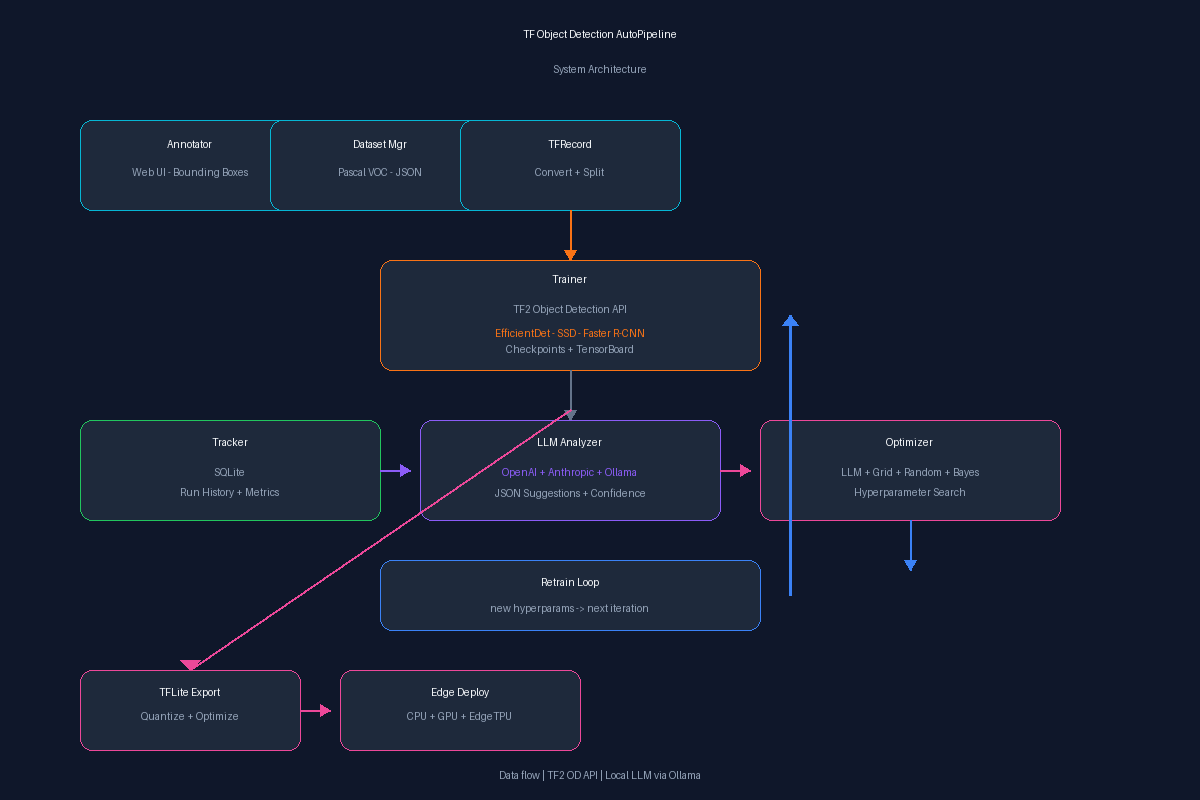
TF Object Detection AutoPipeline is an end-to-end system for training TensorFlow Object Detection models with an autonomous optimization loop. Annotate images in the browser, convert to TFRecord, train with the TF2 OD API, and let an LLM analyze metrics and suggest hyperparameters — then retrain automatically.
What it does
- Web-based annotation — draw bounding boxes on images, assign labels, manage projects, export to Pascal VOC XML
- TFRecord conversion — automatic conversion from Pascal VOC to TFRecord format for the TF2 Object Detection API
- Training pipeline — configurable training with EfficientDet, SSD MobileNet, Faster R-CNN; checkpointing & TensorBoard integration
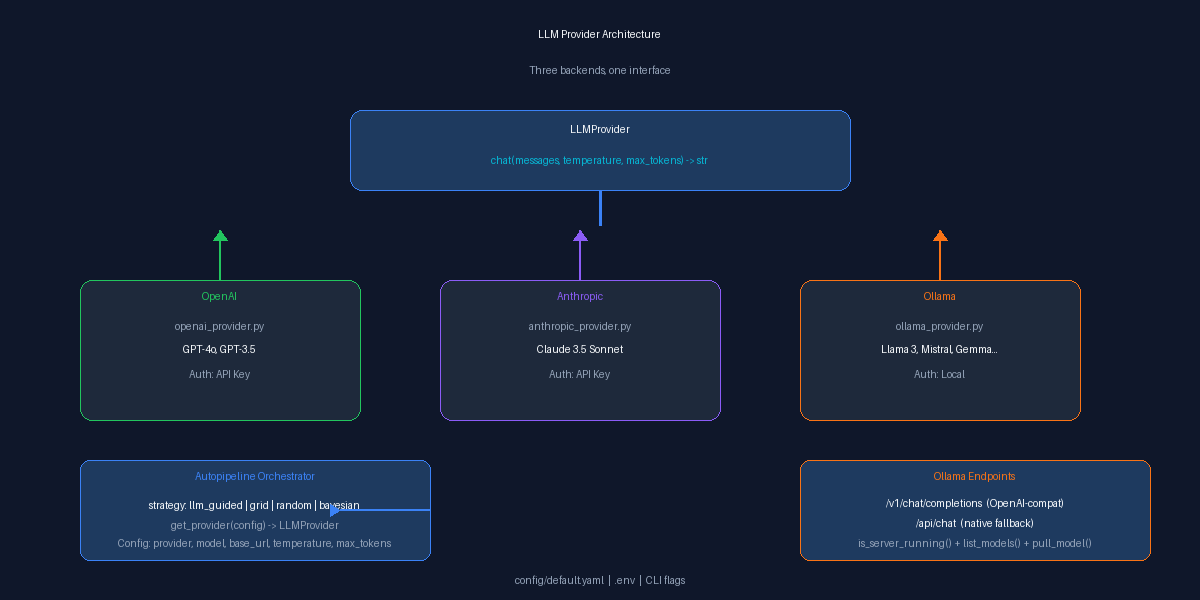
- LLM-powered analysis — sends structured training summaries to an LLM (OpenAI, Anthropic, or Ollama/local models) which responds with hyperparameter suggestions
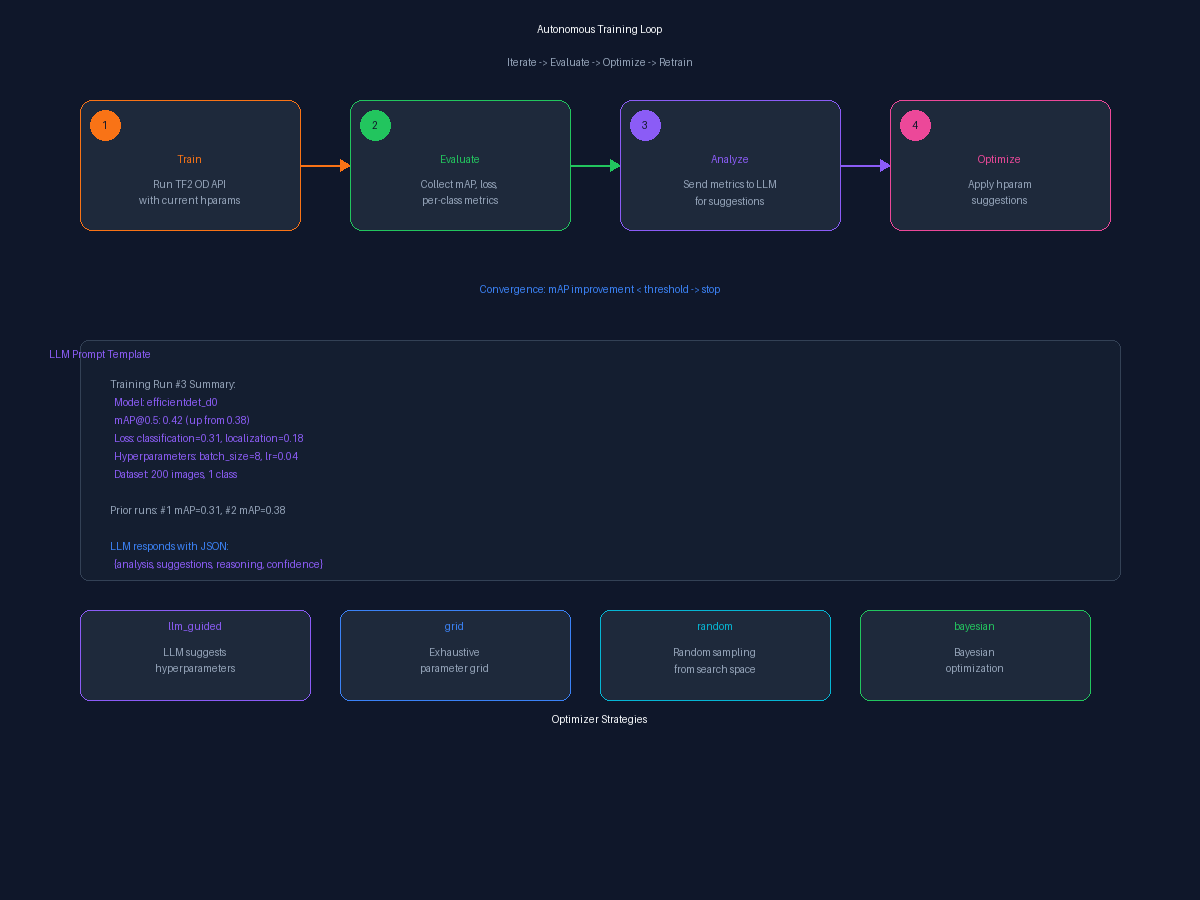
- Autonomous optimization — the optimizer applies LLM suggestions, retrains, compares with prior runs, and repeats until convergence
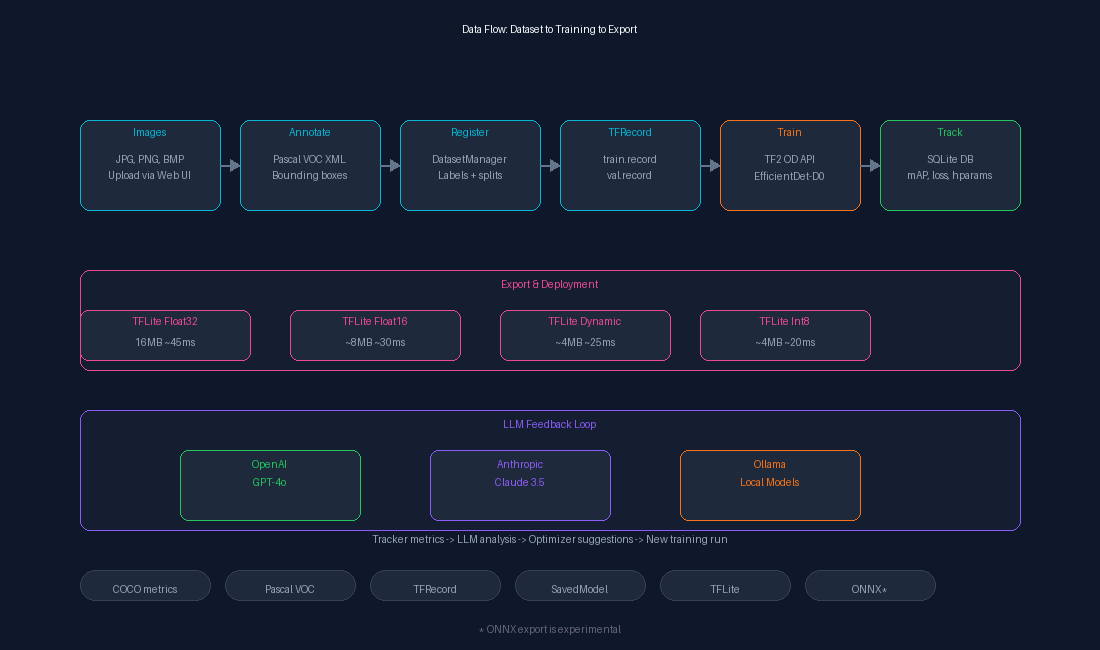
- TFLite export & optimization — quantization-aware export (float32, float16, dynamic range, int8), LLM-guided optimization loop targeting latency/accuracy tradeoffs
- Dataset import — built-in script to download and import Kaggle datasets (tested with Raccoon Detection, 200 images)
Architecture Diagrams
| Diagram | Description |
|---|---|
| System Architecture | Full data pipeline from annotation to deployment |
| LLM Providers | Three backends (OpenAI, Anthropic, Ollama) behind one interface |
| Training Loop | Autonomous iterate → evaluate → optimize → retrain cycle |
| Data Flow | Dataset → training → TFLite export pipeline |
LLM Providers
| Provider | Config Value | Notes |
|---|---|---|
| OpenAI | openai |
GPT-4o, GPT-3.5, etc. |
| Anthropic | anthropic |
Claude 3.5 Sonnet, etc. |
| Ollama / Local | ollama |
OpenLLaMA, Llama 3, Mistral, Gemma, CodeLlama — any local model |
Use local models with zero API costs:
# Start Ollama, pull a model, and run
ollama serve
ollama pull llama3
LLM_PROVIDER=ollama OLLAMA_MODEL=llama3 python scripts/optimize.py --project my_project --max-iterations 5
Tech Stack
- Backend: Python, TensorFlow 2.15, TF2 Object Detection API, SQLite, Flask
- ML: EfficientDet-D0, SSD MobileNet v2, Faster R-CNN ResNet-50
- LLM: OpenAI, Anthropic, Ollama (OpenAI-compatible API)
- Frontend: HTML/JS/CSS (annotation tool)
- Infra: Docker Compose, .env config, CLI entry points